15 free budgeting tools

Completely Free budgeting tools

If you are reading this, maybe you finally realized that you need a budget. Or maybe you have been budgeting for a while, but you are looking for some free tools to simplify your budgeting. Either way, I think this page will have something to offer.

If you are just getting started budgeting I suggest reading an article I wrote called how to make a budget. It will walk you through a lot of the steps that I wish someone would have walked me through when I started.

Let me first mention the Envelope System of budgeting. This is the old faithful for many. It is recommended by Dave Ramsey and used by millions. I also use a modified version of it for my personal budgeting. You can read more about it… How to budget with ING Direct. And if you are an Excel junkie like I am, you may want to check out these 10 free household budget spreadsheets.

Added 11-06-08: Quicken Online used to charge $3 a month to use their online money management software, but it is now FREE! It is very feature-rich and is worth trying out at least. Find out more… Quicken Online Edition


Free-to-try budgeting software

Mvelopes

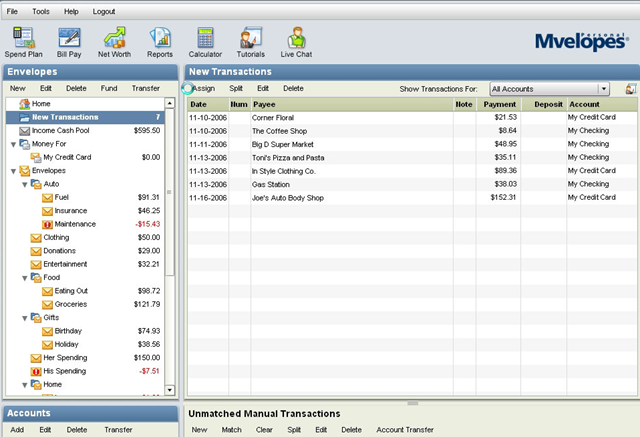
They offers a free 5-day budgeting eCourse, a free budgeting eBook, and a free trial. After the trial expires, they also charge a monthly fee like Pear Budget.

Free Budgeting E-course Free e-book

Mvelopes Personal Budget

Budget Ace

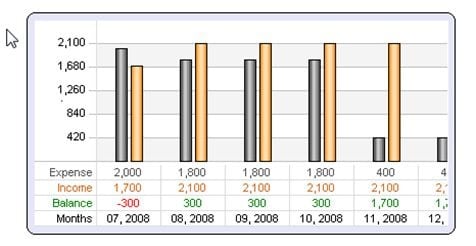
A free-to-try personal budgeting program that is very simplified and offers a minimal amount of features. To purchase it costs $9.99.

budget-ace-budgeting-software-thumb.jpg

Pear Budget

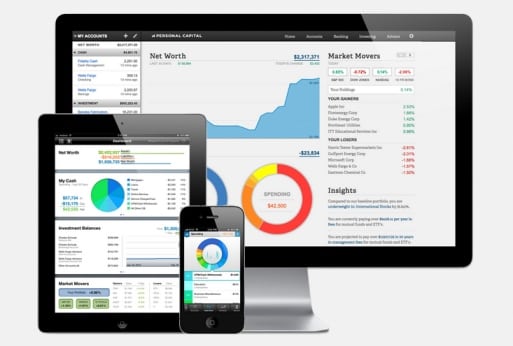
A very simple, easy, and pretty (think Apple) budgeting system. The user has to enter receipts into the program, but they make it seem fun. It is free to try and $3 a month to use.

pearbudget-budgeting-application-thumb.jpg

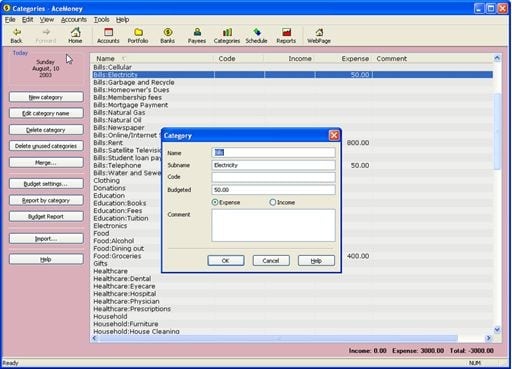
AceMoney Lite Budgeting

I am a little bit confused with these guys, they call themselves Freeware on their site, but when you download the software it says it is a trial version that is NOT free to use. So, I am calling this a Free-to-try version of an offline personal finance management program. It even downloads stock quotes from the Internet. This is basically a lighter version of Microsoft Money or Quicken. It is not nearly as flashy or sophisticated, but it offers some of the features the “big boys” offer for $30.

ace-money-lite-budgeting-software-thumb.jpg


Free household budgeting tools

Some of these budgeting tools are online applications, some are downloadable software, some are for Windows, some are for Mac and Linux, some of them may have lots of bells and whistles, and some may be overly simplified. I suggest you dig through and see if what works for your budget. Every person is different, therefore every budget will be different. It may take some time to find what fits you best, but it is out there and if it isn’t create it and let me know about it!

Mint.com

Pretty amazing online personal finance tool. They have won a ridiculous amount of awards for this free service. I would be using it myself, except that they still do not have an auto-import from my credit union. If it were not for that I would definitely be using them. You can watch the video below to learn more about them.

http://www.youtube.com/watch?v=RDYJoovnPe8

Wesabe.com

They are similar to Mint with many of their features. They haven’t quite gotten as much fanfare as mint, but they still offer a great service. They are also an online tool that seems to have a secure method for keeping your financial information safe. You can watch a video tour below.

http://www.youtube.com/watch?v=SG_w4DNpPs0

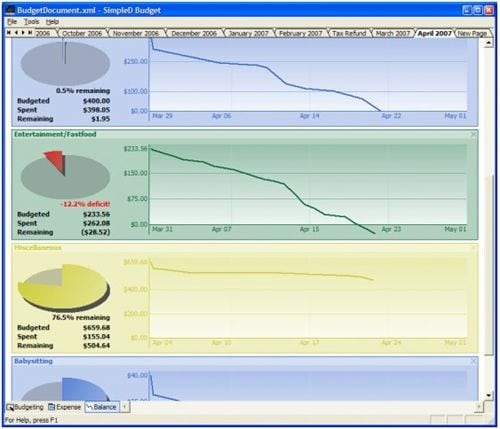
SimpleD Budgeting

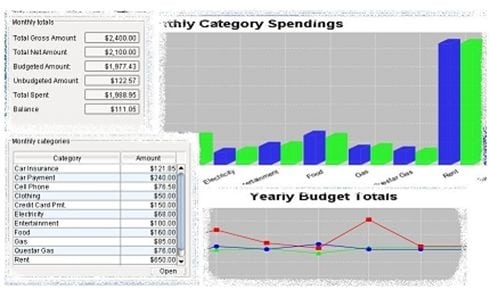
An “open source Windows application designed for personal or household financial management.” The screenshots actually look pretty slick. It is free to use.
simpled-budget-software-thumb.jpg

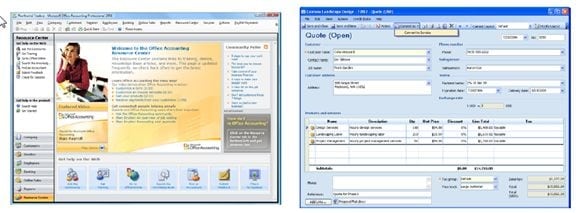
Microsoft Office Accounting Express

A great free accounting and budgeting program geared more towards small businesses, but could be helpful for household budgets as well. Surprisingly it is absolutely free!
microsoft-accounting-express-free-download-thumb.jpg

Stackbacks

The “Stackbacks Automated Budget System” is actually a free .PDF file that you can download. It is more of a guide to budgeting than a tool, but may be worth the quick read.

stackbacks-free-budgeting-ebook-thumb.jpg

Buddi

Free budgeting tool for Windows and Mac OS X.
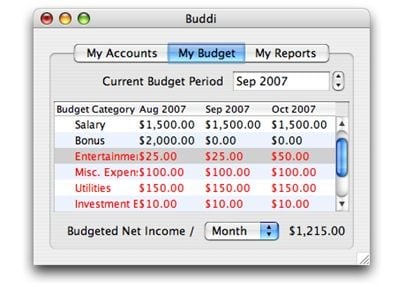
buddi-free-budgeting-tool-thumb.jpg

Budget On Web

Also more biz-oriented, it is a “free online system that integrates project management with contacts management and financial tools.” Manage your budget, schedules and contracts online. It integrates project management with contacts management and financial tools.

Up to 5mb of storage for free, if you need more than that you will have to pay. 5mb should be plenty for people using this for their household budgets. Business budgets may end up going beyond the 5mb limit.
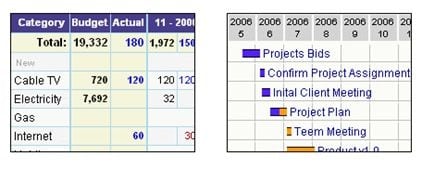
budget-on-the-web-thumb.jpg

Budget 5000

It is another free online budgeting tool. It is simple to navigate and easy to use. The pro/con of it is that is an online tool, rather than downloadable software. The benefit, of course, is that you can access it from anywhere. The downside is that your budgeting info is on someone else’s server.

budget-5000-free-online-budgeting-tool-thumb.jpg

Moneytrackin financial tool

A free online web application that lets you track all your expenses and income with another easy and user friendly interface
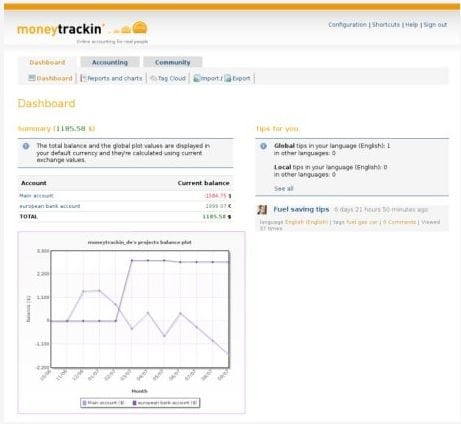
moneytrackin online budgeting software.jpg


Paid Budgeting Software

YNAB

YNAB stands for You Need a Budget and you can find their software at YouNeedABudget.com.

Here are a few features they mention on their site…

  • Split transactions with ease.
  • Track of all of your account balances in one simple interface.
  • Easily see a breakout of spending in a specific category.
  • Monitor your spending trends.
  • Compare spending of one category to another.
  • Easily employ the envelope budgeting method.
  • Enjoy the benefits of the YNAB Methodology built right in.
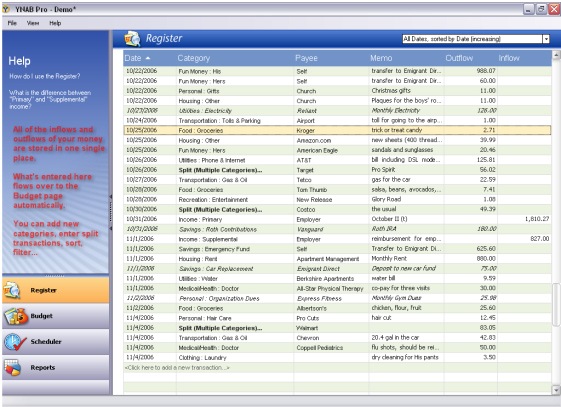
ynab budgeting software.jpg

Quicken

Quicken features

  • Bring all your personal finances together in one place
  • Get a snapshot of monthly spending, set savings goals and track your progress
  • Never miss a bill— stay on top of bills due and paid
  • Connect to online banking and credit card accounts with one password
  • Make tax time easier— capture all possible deductible expenses
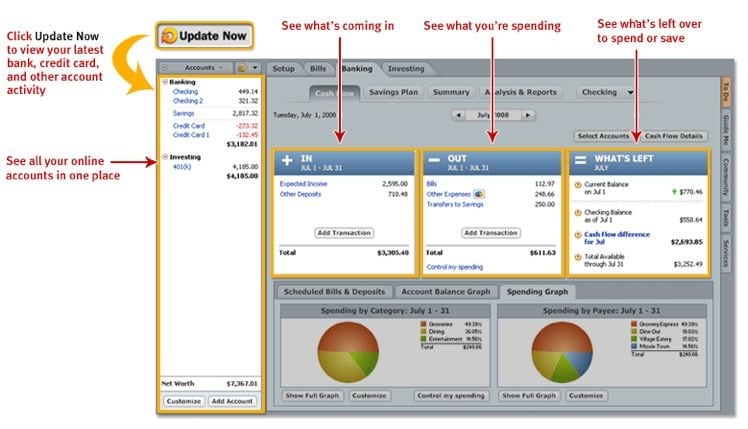
Quicken Personal Finance software.jpg

Microsoft Money

Money Features

  • Insights, now with customizable alerts
  • Bills Insights alert you when bills are overdue or due soon
  • Spending Insights keep on top of the spending you care about most
  • Cash Flow Insights gives you a fast convenient view of your spending and deposits, as well as your account balances
  • Attach links to important files such as check images or scanned receipts right from transactions in the Money account register
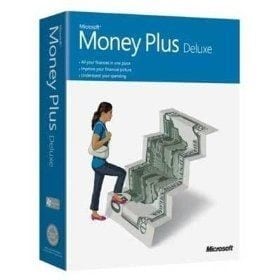
microsoft-money-budgeting-software.jpg


This article was featured in the Finance Fiesta.

If you know of any other free budgeting tools please share them in the comments!

Comments on 15 free budgeting tools »

September 29, 2008

akinwunmi adelanwa @ 11:03 am

dear sir,

have been blessed by your posts. have just started a blog on the same line and yours is way ahead of my dreams. could you be of assistance to me in the area of articles and hints on how the blog should be run.

am writing for an african audience specifically nigerian (west africa) but with similar issues of how to use finances in a responsible manner to achieve goals.

am an engineer but due to job constraints am now a high school physics teacher. u can see that only colour differentiates some of our circumstances.

i guess you could reach me when u close ur vacation period. thanks and regards

remain blessed.

Christina @ 11:55 am

Okay, I am totally in love with Mint!!!! Thanks so much for sharing! If it’s okay, I’d love to blog about this post and link back to you. :)

Alex @ 7:03 pm

Great summary! I’d like to point out that AceMoney Lite really is free, but it can manage only one account. If you need to manage multiple accounts, you have to get a full version on a free to try basis. Unlike the big boys products, every AceMoney license ($30) comes with free lifetime upgrades!

September 30, 2008

Shelley @ 5:05 pm

What a great collection of free budgeting tools! I would like to respectfully point out that while Mvelopes and PearBudget Online charge a monthly subscription fee, Mvelopes’ fee is much higher than PearBudget’s. Mvelopes also has many more features, where PearBudget is more of a dedicated budgeting app. To use the Mvelopes free trial, you have to enter your credit card number and if you decide to cancel, do it within 30 days to avoid being charged. I have had reports of people having problems with being charged although they canceled on time. This doesn’t happen to everyone, but I’ve heard enough about it to be concerned.

God bless your efforts with this blog!
shelley

October 5, 2008
(Pingback)

Free Tools To Manage Your Budget Plus Cool DIY Tips @ 10:06 am

[...] Personal Finance shares with us 15 free budgeting tools, complete with videos and [...]

October 9, 2008
(Pingback)

19th Finance Fiesta - Oktoberfest | LivingAlmostLarge @ 7:08 am

[...] compiles a list of free budget software in 15 Free budgeting tools posted at Christian Financial Help. I use excel to track my spending because it’s free and [...]

October 10, 2008

Curt @ 2:27 pm

Great article. Here is another free budgeting tool,

http://www.pennyjobs.com/pp/public/Free%20Budgeting%20Tool.aspx

This free online budgeting tool doesn’t have a trial period or anything to signup with or download.

[...] presents 15 Free budgeting tools posted at Money in the Bible | Christian Personal Finance [...]

[...] 15 Free Budgeting Tools at Christian Personal Finance-Great List-you should be able to find one you like here! [...]

October 19, 2008

George @ 5:24 pm

Fortora Fresh Finance, while not free, is a great alternative for those who are looking for an effective yet easy-to-use personal finance manager. And it works with both Mac and Windows PCs. http://www.fortora.com

November 22, 2008

Melissa @ 11:17 am

Mint.com is the most informative and helpful financial planning site on the web today. Much better than Intuit and more interactive.

Another site I really like is http://www.chillmybills.com.

November 30, 2008
(Pingback)

Debt…the state of owing « sheila cowell @ 6:15 am

[...] - Use http://www.mint.com to organize your finances (or some other budgeting software…as a disclaimer, we do not use this. We use Quicken, but in a pretty backwards way and I have heard mint.com is much easier). An extensive list of multiple free/cheap online budgeting tools can be found here  [...]

January 11, 2009

robyn blaikie collins @ 9:24 pm

also check out http://www.geezeo.com; a free personal online financial management tool where last year over half of users saved $100/month.

Right now running The Great Geezeo Bailout! where users can win up to $6000!

January 17, 2009

kzaveri @ 11:39 pm

I will recommend using
DesktopBudget.com
Its the best offline personal finance manager I have seen
up till now.

March 4, 2009

Marcus @ 2:19 pm

I really like http://www.budgettoolkit.com. They have a long trial period
(90 days last time I checked) so you can make sure that you will actually
use the service. Expenses can be entered manually or you can upload your
e-banking statements. It also handles split transactions, graphing,
searches, etc. I personally managed to cut my monthly expenses by
$210/month.

April 2, 2009

Livia @ 1:54 pm

I’m surprised you didn’t mention Mvelopes. I love the fact that it is a virtual envelope system that downloads all my transactions, lets me assign them with drop and drag or to split them up, and that it automatically takes any charges I make, and allots the budgeted money for any purchase into the corresponding “save for credit card payment” envelope, and has endless flexibility in creating envelopes. It isn’t perfect, but it works great for me. It doesn’t take the place of something like Quicken, but Quicken just doesn’t have the ability to budget so quickly and clearly.

May 6, 2009
(Pingback)

* Cash Envelope Budgeting System @ 10:22 am

[...] ask for a refund if you don’t like it.In addition, Christian Personal Finance has a great list of free budgeting software that you can also try. They may not be as good as YNAB, but free is [...]

Leave a Comment

Subscribe without commenting


Forums | Contact | Support | Privacy Policy | Terms and Conditions | Disclaimer | Article Reprinting Policy | Write for CPF | Christian Financial Planners

ChristianPF is blog dedicated to providing Christians with ways to get out of debt, budgeting help, personal finance tips, ways to make money, other financial help, and a Biblical perspective about money.
Copyright 2009 ChristianPF.com