 Last Thursday I was having a really great day.
I was getting important stuff done and feeling like I was making some good progress on the day’s goals.
My parents were coming into town to visit with us for a few days and the weekend was nearing.
And then I got the email.
As I was finishing up an article I was writing, I got a message from my assistant that there was an email that I needed to see right away.
I only process email on Mondays, but my assistant keeps tabs on what is going on in my inbox, in case something urgent comes up that I need to see.
And in this case, I am really glad that I did see this one right away.
The ransom email
As I popped open my inbox, I couldn’t believe what I was seeing. The password that I had used on hundreds of sites was sitting there right in the subject line.
The email went on to explain that they not only had my password but had hacked into my webcam and installed a keylogger on my computer as well.
They politely informed me that if I didn’t send them $2900 worth of Bitcoin in the next 24 hours, they would begin their attack.
6 months earlier…
Just about 6 months earlier I was chatting with a friend who had his entire business taken hostage from him and held for ransom.
They had gained access to his primary email account and all his banking institutions as well as core business websites. And since they had control of his main email account (which served as his hub) it was a nightmare to get resolved.
He ended up getting things sorted out without paying the ransom, but the agony that it brought on him for a few days was bad enough.
So as I was reading this email that I had just received I couldn’t help but think of where this could be headed.
I was suspicious as to whether or not this email was legit or not, but the bottom line was that they had a password that I had used hundreds of times and there was no way I was going to be able to remember all the places I had used that password.
And because of that, I didn’t really know how much damage they could actually do.
What I did
The first thing I did was reach out to my friend that I mentioned above to ask his advice. He suggested:
-
- Making sure I had 2-Factor authentication on every important account that I could think of (that offered it).
-
- Calling my web host to let them know about the threat, just in case they tried to hijack my website.
- That I do not respond to the email.
After I got off the phone with him, my assistant and I went to work, making sure every account we could think of was using a different password than what was included in the email.
I had stopped using that password years ago and began using a different password for every site (as the experts suggest), but I had never gone back and attempted to change it on all those old sites.
After we were very confident that all of the most business-critical sites had 2-Factor Authentication and/or different passwords, I decided that was all we could do. Now it was time to let it go and trust that the Lord would fight the battle.
What I learned from this experience
I had already been doing a pretty good job with online security which really helped minimize the potential damage that could have been done.
But, there was no getting around the mistake of having spent 5+ years using the same password for every site that I created an account on.
It also was just a good reminder that any security system is only as good as its weakest link.
So even if I am doing a fantastic job creating strong passwords and keeping an account secure, but an employee, spouse, friend, etc. is not, then we can still get ourselves in trouble.
What I would recommend to you
If you have no idea where to start but want to start protecting yourself better than you have been, this is what I would recommend, knowing what I know now.
1. Start using a different password for every account
If you use a service like 1Password or LastPass definitely use their 2-Factor Authentication options.
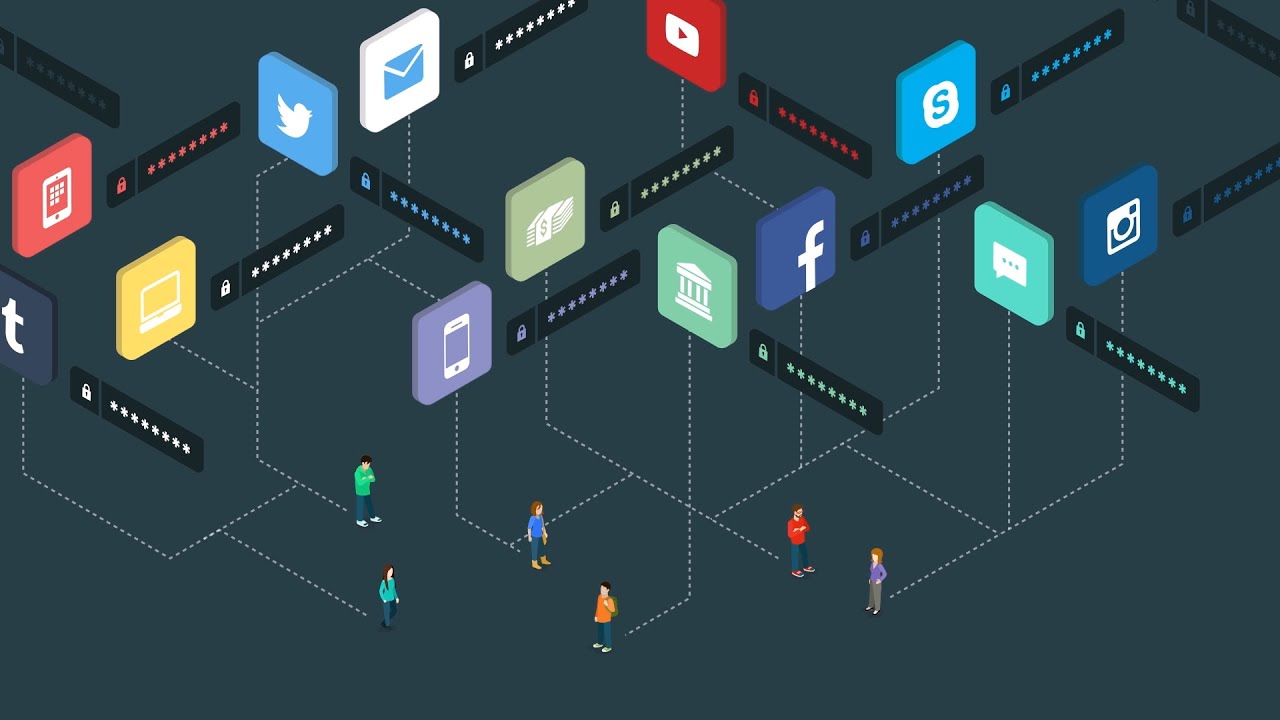
2. Use 2-Factor Authentication for everything you can
While this sounds complicated, it actually isn’t that difficult to do for most sites that offer it. And for most people, it virtually guarantees that you will keep your account safe.
You can do this with your smartphone or use a Yubikey (just check that it works with your account).
To learn more about it or see how it works, watch this video:
3. Consider ID Theft insurance
This is a little bit different but falls under the category of 21st-century security so I thought I would add it. You do not have to have this, because if your identity gets stolen you can do everything that most of these companies would do for you, BUT if they are good at what they do this insurance will save you tons of time if this ever happens to you.
I have seen stats that say that the average victim of identity theft has to spend 100-200 hours of time getting all the issues resolved.
With ID theft insurance, you are paying a company to take most of that burden off your plate, should an incident ever occur.
The best 2 companies out there that I know of are LifeLock and Zander. I use one of them, but like any insurance company, you never really know how good they are until you file a claim – and thankfully I have not had to yet. So do your own research when making your decision.
4. Avoid using Public WIFI
Use your smartphone’s hotspot instead when possible.
5. Get a webcam cover
Mark Zuckerberg (the guy who has eroded so much of our privacy) always keeps his webcam covered because he knows how easy it is to hack.
That’s enough for me. I bought these webcam covers.
6. Use Anti-Virus software
There are a lot of options, but Avast is a pretty good free option to try.
7. Always use a passcode on your smartphone
For most of us, this is the easiest access point for bad guys into our lives. I hate that it slows me down getting into my phone, but it is worth it.
There are always more things to do to protect yourself depending on your level of vulnerability and risk tolerance, but these are a few to get you started.
If you want more, check out our article: 16 ways to protect yourself from identity theft.
So what ended up happening?
I kept an eye on my inbox over the next 24 hours and never heard another peep. I assume that if it was a serious threat they would have gotten back to me.
What I suspected from the beginning (but wasn’t 100% sure) was that this email was an automated one sent to me and thousands of others who had their passwords compromised in one of the data breaches.
And just yesterday I got another email, very similar to this one, so that is even more confirmation that they are just fishing to see who bites.
This is going to become commonplace
What is so scary to me is that I think emails like this are going to become commonplace.
With all the massive data breaches where our password information was compromised, it just makes sense that after that info is sold on the black market that we would begin getting emails like this.
God only knows how many others got the email I did and paid them out of fear.
We have all gotten the scam emails that try to get our money by greed (the promise of more money) or by compassion (tugging on our heartstrings), but I would argue that fear is going to be an even more effective tool for the scammers.
And that is what makes ransom emails like this something to watch out for.
Spread the word
Please share this with anyone who may benefit from this information – I consider myself fairly tech-savvy and this email was still worrisome because it was created with such skill so I’m sure many people are falling for it.
And I want to stop that from happening any way I can, so definitely pass this along to anyone who you think could benefit from it.
Stay safe out there!